Sees who is there. Measures what you breathe.
Two radars also see whoever is sitting still on the sofa. On top of that it measures CO₂, VOC and NOx, temperature, humidity and light. For Home Assistant, for our app or for both.
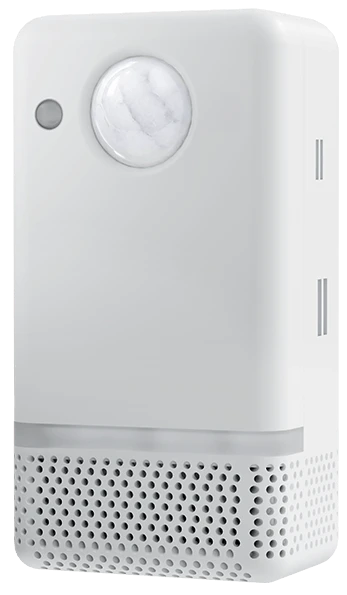
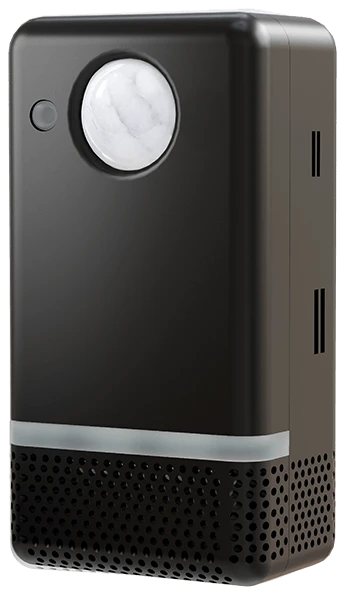
Ultimate
With voice and PIR
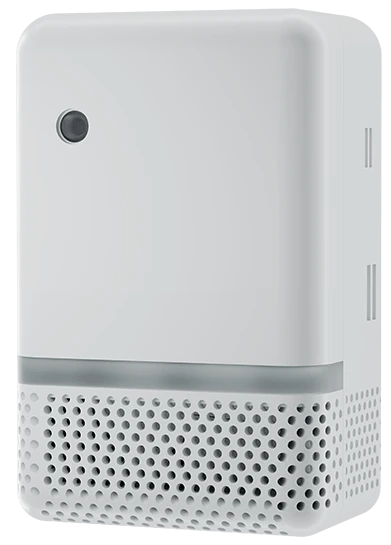
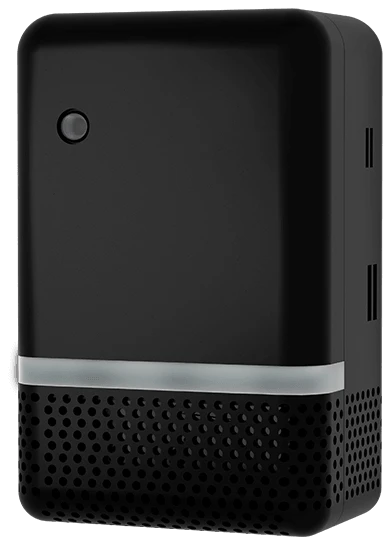
Ultimate
Smaller, with Thread
-
Presence
2 people
1 sitting still
-
CO₂
640ppm
Good
-
Climate
21.4°C
48% humidity
-
Light
320lux
Daylight
What it does for you in every room.
One sensor, six places in your home. Each example shows which sensor does the work, what you see and an automation to start with.
Everything off once the room is really empty
An ordinary motion sensor thinks you have left as soon as you sit still with a book. The LD2412 radar also sees small movements, so the lights stay on while someone is there. Only when the room is really empty does everything switch off.
- Which sensor
- LD2412 for whoever sits still, LD2450 for who is where
- What you see
- Whether anyone is there, and how many people
- An idea to start with
- Nobody in the living room for ten minutes: lights and TV off.
Fresh air while you sleep
In a closed bedroom CO₂ rises fast at night. The SCD41 measures real CO₂ in ppm, not an estimate from other values. Link it to your ventilation and it goes up a setting as soon as it is needed.
- Which sensor
- SCD41 for CO₂, temperature and humidity
- What you see
- CO₂ in ppm, a new reading every 30 seconds
- An idea to start with
- Above 1,000 ppm: ventilation to setting 2. The sensor's LEDs can show it too.
Desk lamp on when you sit down
With zones Home Assistant knows not just that someone is there, but where. Sit down at your desk when it is too dark and the lamp comes on. Just walk past and it stays off.
- Which sensor
- LD2450 for position and zones, BH1750 for light
- What you see
- Someone in the Desk zone, and the light in lux
- An idea to start with
- Someone in the Desk zone and under 150 lux: desk lamp on.
Soft light when you get up at night
Nobody wants a bright ceiling light when walking downstairs at night. Let Home Assistant dim the lamp right down, or use the sensor's own LEDs as a night light.
- Which sensor
- The radars and, on the v2, the PIR sensor for movement
- What you see
- Movement, and how much light there is
- An idea to start with
- Movement between 22:00 and 07:00 and dark: lamp at 15%.
Knowing how many people are inside
Draw an entry line at the door in the Room Designer. The sensor counts who comes in and who leaves, and keeps the count. So your home knows when the last person has left the room.
- Which sensor
- LD2450 with the Room Designer of our free Home Assistant integration
- What you see
- The number of people, and the direction at the door
- An idea to start with
- Last person gone: heating down one degree.
One score for the air in every room
Our free integration for Home Assistant turns CO₂, particulate matter, VOC, temperature and humidity into one room score from 0 to 10. So you see at a glance which room needs fresh air.
- Which sensor
- All air sensors, particulate matter with the optional SPS30
- What you see
- A room score from 0 to 10, per room
- An idea to start with
- Room score below 6: a notification to ventilate.
Choose your UltimateSensor.
Both models have the same radars and air sensors, and work with Home Assistant and with our app. The UltimateSensor v2 adds a microphone, speaker and PIR sensor. The Mini v2 is smaller and also works over Thread.
|
Ultimate |
Ultimate |
|
|---|---|---|
| Presence | ||
| Two radars: LD2412 and LD2450 | Yes | Yes |
| Position and zones, up to 3 people | Yes | Yes |
| Upgrade to LD2460, up to 5 people | Optional: as a version or sold separately | Optional: as a version or sold separately |
| Extra PIR motion sensor | Yes | No |
| Air and light | ||
| CO₂, temperature and humidity | Yes | Yes |
| VOC and NOx | Yes | Yes |
| Light in lux | Yes | Yes |
| Particulate matter PM1 to PM10 (SPS30) | Optional: as a version or sold separately | Optional: as a version or sold separately |
| Voice | ||
| Microphone and local wake word | Yes | No |
| Speaker for answers and announcements | Yes | No |
| Connection | ||
| Wi-Fi (2.4 GHz) | Yes | Yes |
| Ethernet with PoE (802.3af) | Yes | Yes |
| USB-C power | Yes | Yes |
| Thread | No | With the Thread firmware |
| Housing | ||
| Dimensions | 107 × 56 × 41 mm | 87 × 56 × 38 mm |
| Processor | ESP32‑S3, 16 MB | ESP32‑C6, 8 MB |
|
= Optional: as a version or sold separately = With the Thread firmware Thread works on the Mini v2 with the Thread firmware, which you build yourself in ESPHome. It then talks straight to Home Assistant through a Thread border router. Thread guide |
Order the v2 | Order the Mini v2 |
= Optional: as a version or sold separately
= With the Thread firmware
Thread works on the Mini v2 with the Thread firmware, which you build yourself in ESPHome. It then talks straight to Home Assistant through a Thread border router. Thread guide
Two radars. Even when you sit still.
A motion sensor only sees movement. The UltimateSensor has two mmWave radars that are each good at something else: one sees that someone is there, even when they sit still, the other sees where everyone is. On the v2 the PIR sensor reacts to movement first.
-
Who is there
HLK-LD2412Built in as standard
The presence radar. It keeps seeing you while you sit still, read or work, because it also picks up small movements.
- Range
- 0.75 to 9 m
- Field of view
- ±75°
- Strong at
- sitting still
-
Where is everyone
HLK-LD2450Built in as standard
The tracking radar. It sees where up to three people are, which way they are walking and which zone they are in.
- Range
- up to 6 m
- Field of view
- ±60°
- People
- up to 3
-
A wider view
HLK-LD2460Sold separately
Sold separately, in place of the LD2450: a wider view and up to five people at once. No soldering: swap the module, flash the LD2460 firmware and set the height and angle.
- Range
- 6 m moving, 5 m still
- Field of view
- 120° × 90°
- People
- up to 5
€19.50 incl. 21% VAT
View the LD2460
Range and field of view are the module figures from Hi-Link. What you get at home depends on the spot, the height and the furniture.
What does the UltimateSensor see in your room?
Enter the size of your room and place the sensor anywhere along the wall. You see right away which part of the floor each radar covers and what it reports.
How much of your floor it sees
- Sees that someone is there LD2412
- 0%
- Knows where everyone is LD2450
- 0%
Room of by m, with the sensor at m from the left corner. The presence radar sees % of the floor, the position radar %.
What it sees now
- Presence LD2412
- YesNo
- Movement LD2412
- YesNo
- Nearest person LD2412
- nobody
Positions LD2450 0 of 3
- Person presence only not seen
Seen from above. We use 80% of the Hi-Link figures: presence up to 7.2 m within ±75°, positions up to 4.8 m within ±60°. Walls, furniture and placement decide what you get at home. With the LD2460: up to five people, three of them keeping still, and it sees people keeping still up to 4 m. Hi-Link recommends mounting the LD2460 at 2.2 to 2.7 metres, tilted slightly down.
See on the floor plan who is where.
With our free Home Assistant integration you draw your room in the Room Designer: walls, doors, windows and furniture. Then you set up to four zones, two exclusion zones and two entry lines, and watch live in 2D or 3D. You do not need an account for it.
Want particulate measurements? Choose the optional SPS30 module for PM1, PM2.5, PM4 and PM10. Not included as standard.
Talk to your home. Locally.
The UltimateSensor v2 has a microphone and a speaker that is 3x more powerful than the one in the V1. It recognises the wake word itself, and your question goes to your own Home Assistant. Without Home Assistant it works too, with Cloud Voice in our app.
UltimateSensor v2 only
- Wake word on the sensor
- Say "Okay Nabu". The sensor recognises it itself, on the ESP32-S3. One switch turns the listening off.
- Speaker
- For the answers of your voice assistant and for announcements Home Assistant speaks out, such as the laundry being done.
- Your Assist
- Locally your question goes to the Assist pipeline you choose in Home Assistant. With cloud firmware you use Cloud Voice in our app, within the limits of your plan.
From wake word to action
-
You say "Okay Nabu"
Only after the wake word does your question go to your voice assistant.
-
The sensor recognises it itself
The wake word runs on the ESP32-S3 inside the sensor.
-
Home Assistant does the rest
Your question goes to your own Assist. You hear the answer from the speaker.
The air at home in the SmartHomeShop app
No Home Assistant? With cloud firmware you see the air at home in our app, in the browser on your phone, tablet or computer: with a room score, trends, climate comfort and alerts. On the UltimateSensor v2 you also get Cloud Voice: ask something out loud and AI answers, follow-up questions included.
Sample data
Room Quality
Good8.1
Good
Ventilation recommendedCO₂ is rising. Open a window or turn up the ventilation.
- CO₂
- 1,050 ppm
- Poor
- Temperature
- 22.4 °C
- Humidity
- 52 %
- Light
- 180 lux
- VOC Index
- 120
- NOx Index
- 1
- PM2.5
- 9.6 µg/m³
- Presence
- Occupied
- 2 persons
CO₂ quality
Particulate Matter
- PM1.0
- 8.6
- PM2.5
- 9.6
- PM4.0
- 9.9
- PM10
- 10.1
Sample data
Manage voice assistant usage and OpenAI billing for your UltimateSensor devices.
Voice settings savedYour Cloud Voice settings are active.
Assistant behavior
Choose how Cloud Voice sounds and whether it can use recent questions as context.
Cloud Voice enabled
Choose the voice used to speak every AI answer.
Remember follow-up questions
Keep up to six recent question-and-answer turns in a temporary cache for 10 minutes, so a new request can continue the same conversation.
Hands-free clarification questions
When the assistant needs one essential detail, it automatically listens for your answer for 8 seconds without another “Okay Nabu”. This stops after at most 2 clarification rounds.
Enable conversation memory to use hands-free clarification questions.
Search the internet for current answers
Let the assistant search automatically for current or local information such as opening hours, nearby restaurants, events, news and schedules. Timeless questions do not trigger a search.
Account usage
All UltimateSensor devices on this account share these limits.
Today
4 / 20
16 requests remaining
This month
37 / 100
63 requests remaining
Internet searches
Only searches actually performed by the assistant count. All devices on the account share this allowance.
Today
2 / 5
3 searches remaining
This month
9 / 25
16 searches remaining
Sample data
Trends
30 days- Average CO₂
- 612 ppm
- Average temperature
- 21.2 °C
- Avg. humidity
- 52%
- Average PM2.5
- 7.4 µg/m³
CO₂ per hour
Average ppm per hour of the day
Temperature and humidity per hour
Sample data
Overall climate score
Very comfortable
166 measurement hours · 99% coverage
- Room comfort
- 98
- Air freshness
- 93
Latest measurement hour · today 20:00
- CO₂940 ppm
- Temperature22.3 °C
- Humidity51%
- VOC115
- PM2.59.4 µg/m³
CO₂ and ventilation
Target 950 ppm- Average
- 623 ppm
- Highest value
- 1,050 ppm
- of hours under 950 ppm
- 98%
Climate remains stable All goodTemperature and humidity stayed within the comfort band this week.
Sample data
Alerts
-
High CO₂High CO₂ concentration
> 1,000 ppm
Last triggered: today 20:24
-
High particulate matterHigh particulate value
> 25 µg/m³
Not triggered yet
-
Device offline
> 5 min
Not triggered yet
-
Recent activity
High CO₂: 1,024 ppm (> 1,000 ppm)
High CO₂: 1,124 ppm (> 1,000 ppm)
What the email looks like
SmartHomeShop.ioHigh CO₂ - Living room
High CO₂
An alert was triggered on your device Living room.
Measured value: 1,024 ppm
Threshold: > 1,000 ppm
Quick presets
- High CO₂> 1,000 ppm
- High particulate matter> 25 µg/m³
- High VOC> 250
- Frost alarm< 3 °C
- Heat alarm> 35 °C
- Device offline> 5 min
Send via
- Push notifications Coming soon
Sample data
Compare
MonthsDifferences per metric
| Differences per metric | September 2026 | August 2026 | Difference |
|---|---|---|---|
| Avg. CO₂ | 612 ppm | 548 ppm | 11.7% |
| Highest CO₂ | 1,124 ppm | 905 ppm | 24.2% |
| Avg. temperature | 21.2 °C | 23.4 °C | 9.4% |
| Avg. humidity | 52% | 58% | 10.3% |
| Avg. PM2.5 | 7.4 µg/m³ | 6.1 µg/m³ | 21.3% |
| Avg. VOC index | 92 | 88 | 4.5% |
| Avg. light level | 186 lux | 241 lux | 22.8% |
| Presence | 41% | 33% | 24.2% |
| Data points | 43,180 | 44,502 | 3.0% |
The number of data points differs per period.
- A room score out of 10 from CO₂, particulate matter, VOC, temperature and humidity, with advice
- CO₂ in five levels, from Excellent to Unhealthy, on a colour bar from 400 to 2,000 ppm
- Presence and the number of people from the radar
- Live graphs, and looking back per day, week, month or year
How it sounds at the sensor
No Home Assistant needed. The sensor recognises “Okay Nabu” itself, your question goes through your SmartHomeShop account to AI from OpenAI, and the answer plays from the speaker.
-
You
Okay Nabu, what will the weather be like tomorrow?
-
UltimateSensor
Which location would you like the weather for?
It now listens for 8 seconds, no “Okay Nabu” needed
-
You
Amsterdam.
-
UltimateSensor
Tomorrow Amsterdam gets 14 degrees, with a few showers in the afternoon. So take an umbrella.
A current answer, looked up online
- Two minutes later
-
You
Okay Nabu, and on Saturday?
-
UltimateSensor
Saturday stays dry in Amsterdam, with sunshine and 16 degrees.
It remembers the question was about the weather in Amsterdam
Sample conversation. Cloud Voice works only on the UltimateSensor v2, with cloud firmware and a SmartHomeShop account, within the limits of your plan.
- Average CO₂ per hour of the day, with guide lines at 800 and 1,200 ppm
- Temperature, humidity, light and presence per hour
- CO₂ per day of the week, and PM2.5 if you measure particulate matter
- Pick a week, 30 days, this or last month, this year or your own dates
- One climate score from 0 to 100: room comfort counts 60%, air freshness 40%
- A comfort band per season, at 40 to 60% humidity
- CO₂ as a measure of ventilation, with a target of 950 ppm
- Over 24 hours, 7 days or 30 days, with advice
- Presets for CO₂ above 1,000 ppm, particulate matter, VOC, frost, heat and device offline
- Rules for humidity, light and NOx too
- The app checks every minute and emails in Dutch, English or German
- Free: 1 alert per device. Plus gives you 20, Pro unlimited.
- Put two days, months or years of the same sensor side by side
- Average and highest CO₂ and particulate matter, VOC, temperature, humidity, light and presence in one table
- The difference in percent, green as soon as CO₂, particulate matter or VOC goes down
Home Assistant, our app or both
Use UltimateSensor v2 and Mini v2 with Home Assistant, the SmartHomeShop cloud app or both at the same time. With compatible firmware, you can combine local dashboards and automations with remote access to your readings in our app.

Locally with Home Assistant
With local ESPHome firmware, readings go straight to Home Assistant. No SmartHomeShop account or cloud subscription is required.
- Presence, CO₂, climate, lux and other readings from installed sensors as entities.
- Use our integration for the Room Designer and zones, and create your own automations.

Through the SmartHomeShop app
No Home Assistant needed. Open our cloud app in a browser on your phone, tablet or computer, even when you are away from home.
- View presence and available climate and air-quality readings from both models.
- Follow historical charts and set email alerts.
- With suitable firmware, configure status lighting and supported automatic light functions.
Cloud Voice is available on the regular UltimateSensor v2 with suitable cloud firmware. Mini v2 has no microphone or speaker and does not support it. Your plan’s limits apply to cloud voice.
Explore the SmartHomeShop appCloud use requires an account, internet and cloud firmware that supports your model. Readings and features depend on hardware and firmware; history and usage limits depend on your app plan. With supported firmware, you can also use the app and Home Assistant together.
Find the right firmwareBuilt on ESPHome. Public on GitHub.
The firmware runs on ESPHome and is public on GitHub. Want to decide everything yourself? Adopt the sensor in ESPHome. If not, it simply works the way it arrives.
- Adopt in ESPHome
- As soon as the sensor is on your network, adopt it in the ESPHome dashboard. Then you edit the YAML, use packages and give everything your own names.
- Extend it your way
- Your own sensors, automations on the sensor itself or other settings: after adoption the configuration is yours.
- Updates without YAML
- Rather not build it yourself? Enable the sensor's update entity in Home Assistant and you install new firmware with one click.
Firmware for your sensor
Choose firmware for your model and fitted modules on our firmware page. Then adopt the device in ESPHome to customise its configuration.
Choose firmwareCode on GitHub
- UltimateSensor v2smarthomeshop/ultimatesensor
- UltimateSensor Mini v2smarthomeshop/ultimatesensor-mini
It is all inside. Expanding can wait.
The sensor is modular. The housing clicks open without screws and the modules click in, without soldering. So you can add particulate matter or the LD2460 later.


In the box
- The UltimateSensor v2 or Mini v2, in white or black
- Both radars are already inside: LD2412 and LD2450
- The SPS30 particulate sensor, if you choose that version
- A QR code on the inside of the box, to the manual
Add on
- USB-C Adapter Set5 V adapter with a 3 m USB-C cable. Not needed if you use PoE.€14.00 incl. 21% VAT
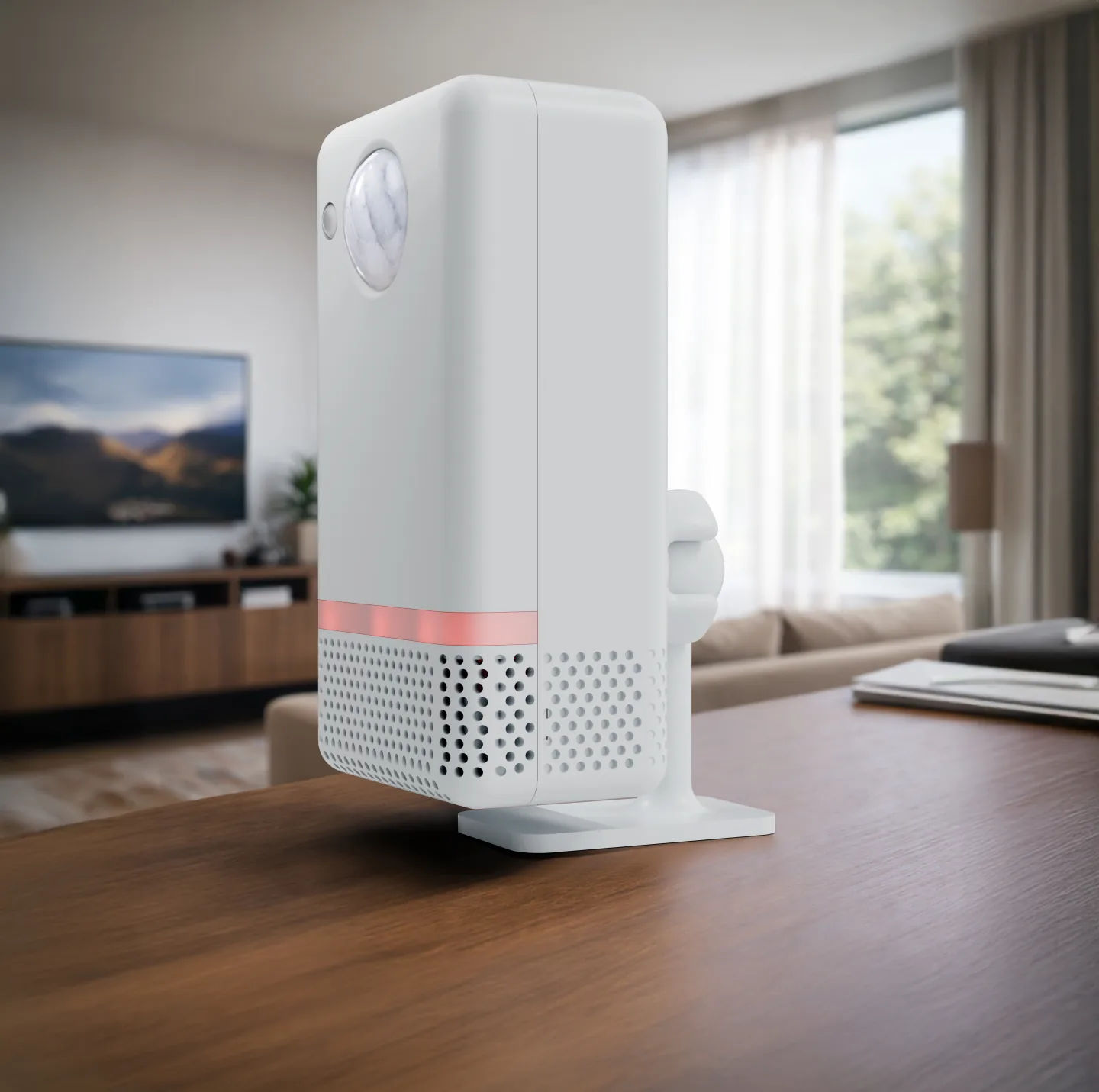
- Stand & Wall MountFor the wall or freestanding on your desk. Fits both models.€6.50 incl. 21% VAT
- SPS30 particulate sensorClick it in and choose the firmware with particulate matter. Ordering it with the sensor costs less.€29.50 incl. 21% VAT
- HLK-LD2460A wider view and up to 5 people, in place of the LD2450.€19.50 incl. 21% VAT
Plug in, choose, done.
You need no tools. Just power over USB-C, or a network cable with PoE.
Plug it in
Over USB-C with a 5 V adapter, or with a network cable to a PoE switch or PoE injector. With PoE you get power and network in one cable.
Choose how you use it
With Wi-Fi the sensor first opens its own network. There you pick your Wi-Fi and whether you use Home Assistant, our app or both. Bluetooth (Improv) works too.
Done
Home Assistant finds the sensor by itself through ESPHome. Then add our free integration for the room score and the Room Designer.
- Power
- USB-C (5 V, at least 1 A) or PoE to 802.3af. An adapter and cable are not included; the USB-C Adapter Set is sold separately.
- Placement
- At 1 to 2 metres high, with a view of the room. Not in full sun or right next to the heating, so temperature and CO₂ read best.
- Stand it or hang it
- Put it on a cupboard or shelf. For the wall or your desk there is the Stand & Wall Mount, which fits both models.
With the Stand & Wall Mount
View the Stand & Wall Mount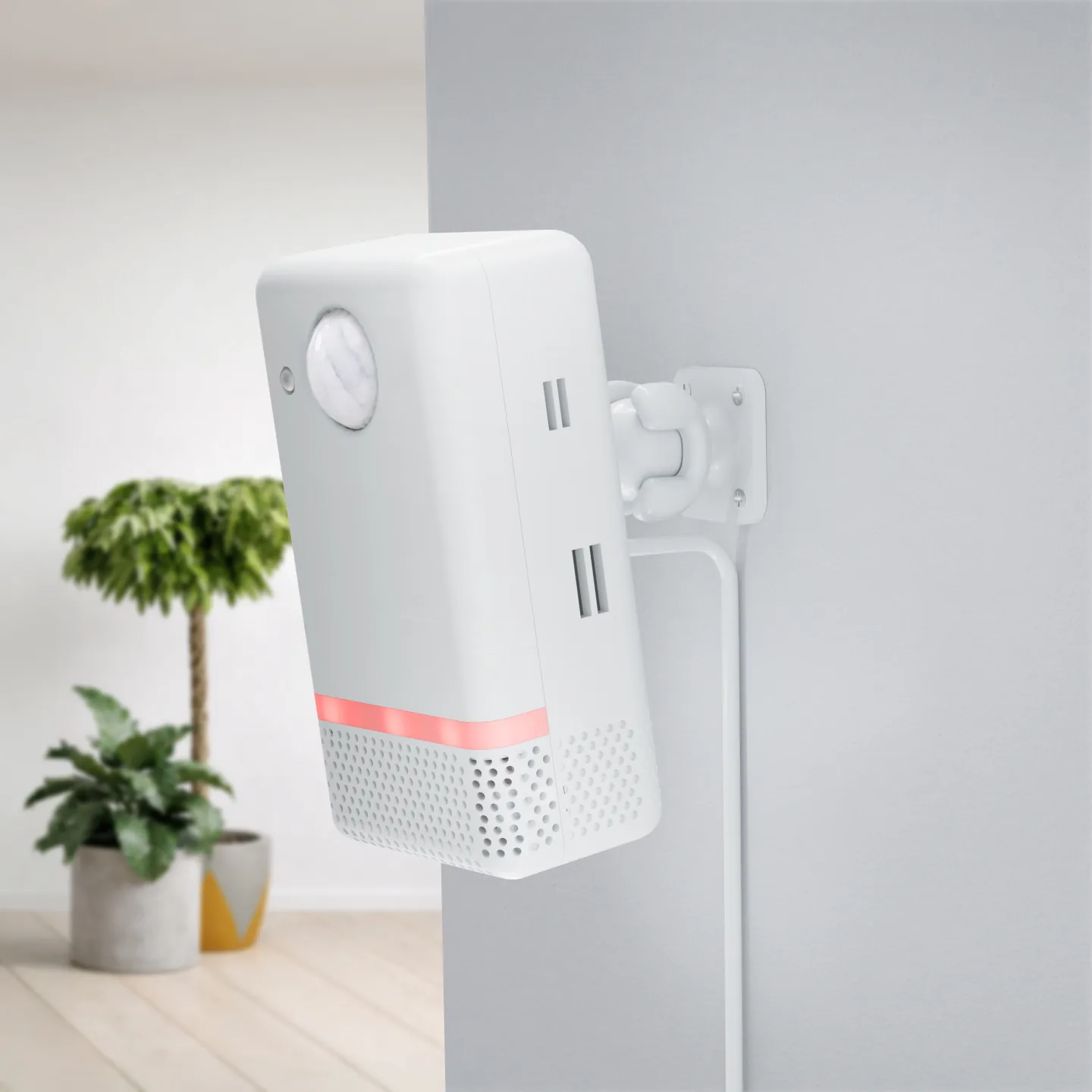
Customer Reviews
Reviews may also include feedback from UltimateSensor v1
4,9
Based on reviews
Product rating distribution
- star reviews
 4.8 on Google · General business rating
Share your thoughts
If you've used this product, share your thoughts with other customers
Write a reviewThe 10 latest reviews
-
Google
Translated from Dutch Original (Dutch)
Frequently Asked Questions
About the two models, the radars, the air readings, voice and Thread.
-
Both have the same radars (LD2412 and LD2450) and air sensors: the SCD41 for CO₂, temperature and humidity, the SGP41 for VOC and NOx and the BH1750 for light. Both work over Wi-Fi, Ethernet and PoE. The UltimateSensor v2 adds a microphone, a speaker and a PIR sensor, on an ESP32-S3. The Mini v2 is smaller (87 against 107 mm), has an ESP32-C6 and also works over Thread, but has no microphone, speaker or PIR.
-
You choose. With local ESPHome firmware, readings stay within your network and you use Home Assistant. Supported cloud firmware lets you use the SmartHomeShop app without Home Assistant, with an account and internet. Features and history depend on model, firmware and app plan.
-
Yes, that is what the LD2412 radar is for. It also picks up small movements, so whoever reads or watches TV stays seen. The LD2450 also sees where up to three people are. On the v2 the PIR sensor reacts to movement first.
-
The LD2450 itself has three rectangular zones. With the Room Designer in our free Home Assistant integration you draw up to four free-form zones, two exclusion zones, for a fan or a curtain for example, and two entry lines that count who comes in and who leaves.
-
The Sensirion SCD41 measures real CO₂ with a photoacoustic sensor, not an estimate from other gases (eCO₂). Typical accuracy is ±(40 ppm + 5%). The sensor calibrates itself; that works best when the room is aired well now and then.
-
Yes. The SPS30 clicks into the sensor, without soldering. Then you choose the firmware with particulate matter. If you already know you want to measure particulate matter, choose the version with SPS30: that costs less than buying it separately later.
-
The Mini v1 did. With the v2 models it is the other way round: the microphone and speaker are now in the regular UltimateSensor v2. The Mini v2 does not have them.
-
The LD2460 takes the place of the LD2450 and sees up to five people in a wider angle. You swap the module without soldering, flash the LD2460 firmware onto the sensor and set the height and angle. Hi-Link recommends mounting it at 2.2 to 2.7 metres, tilted slightly down.
-
Yes, with the Thread firmware. You build it yourself in ESPHome. The sensor then connects straight to Home Assistant through a Thread border router, such as Home Assistant with a Connect ZBT-1. You use our app over Wi-Fi or Ethernet, not over Thread. It does not support Matter.
-
The v2 listens for the wake word "Okay Nabu" itself and then sends your question to the Assist of your own Home Assistant. You hear the answer from the built-in speaker. With cloud firmware you use Cloud Voice in our app, without Home Assistant. The Mini v2 has no microphone or speaker.
-
The sensor in white or black, with both radars already inside, and the SPS30 if you choose that version. An adapter, a USB-C cable and the Stand & Wall Mount are sold separately. You find the manual through the QR code on the inside of the box.
-
You get a 2-year warranty on the UltimateSensor v2 and the Mini v2. Keep your proof of purchase and report a fault through our support portal, and we will find a suitable solution together.
-
At 1 to 2 metres high, with a view of the part of the room you want to follow. Not in full sun, above a radiator or right next to a ventilation grille, so temperature and CO₂ read best.
-
The firmware runs on ESPHome, which is open source, and our configurations are public on GitHub. You may view them, change them and build them yourself for your own use. They fall under a Creative Commons licence for non-commercial use.
Is your question not here? Just ask us, we are happy to help you choose.
Contact usTechnical Specifications
UltimateSensor v2
- Connectivity
- Wi-Fi 2.4 GHz Ethernet (RJ45) Power over Ethernet (PoE) Bluetooth for Wi-Fi setup (Improv)
- Detection stack
- Standard dual mmWave setup: LD2412 + LD2450 LD2412 for still presence and micro-movement detection LD2450 for X/Y tracking, people count and zones Panasonic EKMC1603111 PIR sensor, on the UltimateSensor v2 only Optional LD2460 upgrade replaces the LD2450
- Detection performance
- LD2412 module range: up to 9m LD2450 tracking range: up to about 6m PIR range: up to 12m Up to 3 tracked people; with the Room Designer 4 zones, 2 exclusion zones and 2 entry lines
- Environmental sensors
- Sensirion SCD41 for CO2, temperature and humidity Sensirion SGP41 for VOC and NOx BH1750 for lux / light intensity 3 RGB LEDs Optional Sensirion SPS30 particulate sensor for PM1, PM2.5, PM4 and PM10
- Voice hardware
- Built-in microphone and speaker ESP32-S3 (16MB) Designed for local Home Assistant voice assistant setups
- Power options
- USB-C power input PoE supported USB-C adapter set available separately
- Mounting
- Freestanding on furniture Wall-mount capable with bracket Designed for indoor rooms such as living rooms, offices and hallways
- Dimensions
- 107 x 56 x 41 mm
- Software & integration
- ESPHome + Home Assistant ready Over-the-air (OTA) firmware updates Local without cloud, or with the SmartHomeShop app (cloud firmware)
- Protection rating
- IP20, for indoor use
UltimateSensor Mini v2
- Connectivity
- Thread (with the Thread firmware) Wi-Fi 2.4 GHz Ethernet (RJ45) Power over Ethernet (PoE) Bluetooth for Wi-Fi setup (Improv)
- Detection stack
- Standard dual mmWave setup: LD2412 + LD2450 LD2412 for still presence and micro-movement detection LD2450 for X/Y tracking, people count and zones Optional LD2460 upgrade replaces the LD2450
- Detection performance
- LD2412 module range: up to 9m LD2450 tracking range: up to about 6m Up to 3 tracked people; with the Room Designer 4 zones, 2 exclusion zones and 2 entry lines Optional LD2460: wider view and up to 5 people
- Environmental sensors
- Sensirion SCD41 for CO2, temperature and humidity Sensirion SGP41 for VOC and NOx BH1750 for lux / light intensity 3 RGB LEDs Optional Sensirion SPS30 particulate sensor for PM1, PM2.5, PM4 and PM10
- Processor & wireless
- ESP32-C6 Thread with the Thread firmware, which you build yourself in ESPHome Connects to Home Assistant through a Thread border router (no Matter) No microphone or speaker in the Mini v2
- Power options
- USB-C power input PoE supported USB-C adapter set available separately
- Mounting
- Freestanding on furniture Wall-mount capable with bracket Compact housing for shelves, walls and tighter spaces
- Dimensions
- 87 x 56 x 38 mm
- Software & integration
- ESPHome + Home Assistant ready Over-the-air (OTA) firmware updates Local without cloud, or with the SmartHomeShop app (cloud firmware over Wi-Fi or Ethernet)
- Protection rating
- IP20, for indoor use
Ready to choose?
Two models with the same radars and air sensors. Want voice and a PIR sensor? Choose the UltimateSensor v2. Want it smaller, more affordable or with Thread? Choose the Mini v2.
2-year warranty
-
UltimateSensor v2
Order the v2 -
UltimateSensor Mini v2
Order the Mini v2
Which UltimateSensor would you like?
Both have the same radars and air sensors. Choose the v2 for voice and a PIR sensor, or the Mini v2 for a smaller sensor with Thread.